
Explore
Swimm
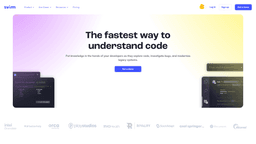
Swimm is a documentation platform that automatically syncs with your codebase, ensuring documentation stays current as code changes. It helps development teams maintain accurate documentation, speed up onboarding, and improve code understanding. The tool integrates with existing workflows and provides collaborative features for team documentation.


Product Overview
Swimm Review: The Code Documentation Tool That Actually Stays Current
Let's be honest about code documentation: most teams start with good intentions, but documentation quickly becomes outdated as code evolves. Developers write documentation once, then forget about it while they're busy fixing bugs and adding features. By the time someone needs to understand the code, the documentation is useless. Swimm tackles this exact problem head-on.
What Swimm Actually Does
Swimm is a documentation platform built specifically for software development teams. Instead of treating documentation as a separate, static artifact, Swimm connects documentation directly to your codebase. When code changes, Swimm can detect those changes and prompt you to update the related documentation. This creates a living documentation system that actually reflects your current codebase.
The company was founded by developers who experienced firsthand how documentation becomes outdated. They built Swimm to solve the documentation drift problem that plagues most development teams. The tool launched in 2020 and has been adopted by teams ranging from startups to enterprise companies who need to maintain complex codebases.
How the Technology Works
Swimm integrates directly with your version control system (like Git) and your IDE. It creates a connection between documentation files and the actual code they reference. When you make changes to code that's linked to documentation, Swimm shows you which documentation needs updating. The system uses code analysis to understand relationships between different parts of your codebase and their corresponding documentation.
What makes Swimm different from traditional wikis or markdown files is this automatic synchronization. You're not just writing documentation - you're creating documentation that has a direct relationship with your code. This relationship is what keeps everything current and useful.
Who Should Use Swimm
Swimm works best for development teams of 5 or more people, especially those working on complex or legacy codebases. If you're constantly onboarding new developers, dealing with knowledge transfer when team members leave, or struggling with understanding code written months or years ago, Swimm can help.
The tool is particularly valuable for teams maintaining enterprise applications, open source projects with multiple contributors, or any codebase that multiple developers need to understand and modify. It's less useful for solo developers or very small projects where everyone already knows all the code.
Pricing and Plans
Swimm uses a "Contact for Pricing" model, which is common for enterprise-focused development tools. Based on industry standards for similar tools, you can expect pricing to be based on the number of users or repositories. Most teams will likely pay somewhere between $10-30 per developer per month, with enterprise plans offering additional features and support.
The pricing approach makes sense for Swimm's target market. Development teams need to evaluate how the tool fits into their specific workflow, and custom pricing allows for that flexibility. However, the lack of transparent pricing can be frustrating for smaller teams trying to budget accurately.
Real-World Implementation
Implementing Swimm requires some initial setup. You need to connect it to your version control system and decide which parts of your codebase to document first. Most teams start with their most complex or frequently modified components. The initial documentation effort can take time, but the payoff comes when that documentation stays current automatically.
Teams that succeed with Swimm typically make documentation part of their code review process. When someone submits a pull request that changes code linked to documentation, reviewers check that the documentation has been updated too. This creates a documentation culture that's sustainable long-term.
Final Verdict
Swimm solves a real problem that most development teams face. The automatic synchronization between code and documentation is genuinely useful, and the collaborative features make it practical for team use. The learning curve is manageable, and the integration with existing tools is smooth.
However, Swimm isn't a magic solution. It requires discipline from your team to maintain the documentation relationships. The tool helps, but it doesn't force developers to write good documentation. You also need to invest time in the initial setup and documentation creation.
If your team struggles with outdated documentation and you're willing to put in the initial effort, Swimm is worth serious consideration. It won't fix all your documentation problems overnight, but it provides a framework for maintaining documentation that actually stays useful as your code evolves.
Key Capabilities
Auto-sync documentation that detects when code changes and prompts for updates. This means your documentation actually stays current instead of becoming outdated within weeks of being written. The system monitors your codebase and shows you exactly what documentation needs attention when code changes.
Codebase navigation that links documentation directly to specific files and functions. You can click from documentation to the actual code it references, making it much easier to understand complex systems. This bidirectional linking helps developers move between documentation and code seamlessly.
Collaborative tools designed specifically for development teams. Multiple developers can work on documentation simultaneously, with version control integration that tracks who changed what. The commenting and review features make documentation a team effort rather than an individual responsibility.
Tutorial creation for onboarding new team members. You can build interactive tutorials that guide new developers through your codebase, showing them how different components work together. These tutorials stay current because they're linked to the actual code.
Integration with existing development workflows through IDE plugins and version control hooks. Swimm works with tools developers already use, minimizing disruption to existing processes. The integrations are well-designed and don't require major workflow changes.
Search and discovery features that help developers find documentation when they need it. The search understands code relationships, so you can find documentation about specific functions or components even if you don't know exactly what you're looking for.
Common Questions
Swimm monitors your codebase for changes and identifies which documentation is affected. When you push code changes that impact documented components, Swimm flags the related documentation as potentially outdated. You can then review and update it. The system doesn't automatically rewrite documentation - it alerts you to what needs attention, so documentation quality remains under human control.
Swimm is designed to work alongside existing documentation tools rather than replace them entirely. You'll typically use Swimm for code-specific documentation that needs to stay synchronized with your codebase, while using other tools for broader project documentation. Some teams export Swimm documentation to their wikis, but the real value comes from the live connection between documentation and code that Swimm provides.
Swimm will continue to flag the documentation as potentially outdated, but it doesn't force updates. The effectiveness of the tool depends on your team's commitment to maintaining documentation. Teams that succeed with Swimm typically make documentation updates part of their code review process - if code changes affect documentation, the documentation update becomes part of the pull request requirements.
Initial setup requires connecting Swimm to your version control system and deciding where to start with documentation. For large codebases, most teams begin with the most complex or frequently modified components rather than trying to document everything at once. The initial investment can be significant, but you can phase the implementation. Swimm provides guidance on prioritization based on code complexity and change frequency.
Swimm supports most common programming languages including JavaScript, Python, Java, C#, Go, and others. The tool analyzes code structure rather than language-specific syntax, so it works well with mainstream languages. Some niche or proprietary languages might have limited support. The documentation features themselves are language-agnostic - you write documentation in markdown with code references.
README files are static documents that quickly become outdated. Swimm creates living documentation that maintains connections to your actual code. When code changes, Swimm helps you identify which documentation needs updating. Swimm also provides better navigation between documentation and code, collaborative features for team documentation, and tutorial creation tools that go beyond what README files can offer.
Building an AI tool?
Let's get you noticed.
Join thousands of founders who use Toosio to reach active decision-makers, engineers, and early adopters looking for their next stack.
No credit card required · Takes 2 minutes